



25 Jan Python data automation mistakes that waste months of learning
Most people learning Python for data automation make the same mistakes. Not because they’re incapable — because these mistakes aren’t obvious until you’ve already made them. The result: wasted weeks, unnecessary frustration, and sometimes quitting entirely.
This guide exposes seven common mistakes with specific fixes for each. Recognizing these patterns early saves enormous time and frustration. For a structured approach that avoids these pitfalls, this complete Python data automation guide provides a proven learning path.
Mistake 1: Learning Python Generally Instead of for Automation
What happens: You start with a general Python course covering everything — web development, algorithms, object-oriented programming, decorators, generators. Weeks pass. You understand Python concepts but can’t automate anything practical.
Why it’s a mistake: General Python courses allocate time based on language comprehensiveness, not your specific goal. Data automation requires maybe 30% of what general courses teach, but that 30% taught deeply.
The fix: Learn Python specifically for data automation from the start. Focus on: file operations, pandas for data manipulation, reading/writing Excel and CSV, basic web requests. Skip: web frameworks, complex algorithms, advanced OOP patterns. You can learn those later if needed.
Time saved: 4-8 weeks of learning material you won’t use.
Mistake 2: Tutorial Hell — Watching Without Building
What happens: You watch tutorial after tutorial. Each makes sense while watching. You feel like you’re learning. But when facing a blank file and a real problem, nothing comes. You can’t write code without someone showing you exactly what to type.
Why it’s a mistake: Watching is passive. Building is active. Your brain processes them differently. Understanding someone else’s solution doesn’t create ability to generate your own solutions.
The fix: After every concept, close the tutorial and build something using that concept — even something tiny. Struggle is the learning. If you can’t do it without looking, you haven’t learned it yet.
Ratio to maintain: For every 30 minutes of tutorial, spend at least 30 minutes coding independently. Ideally more.
Mistake 3: Perfecting Code Before It Works
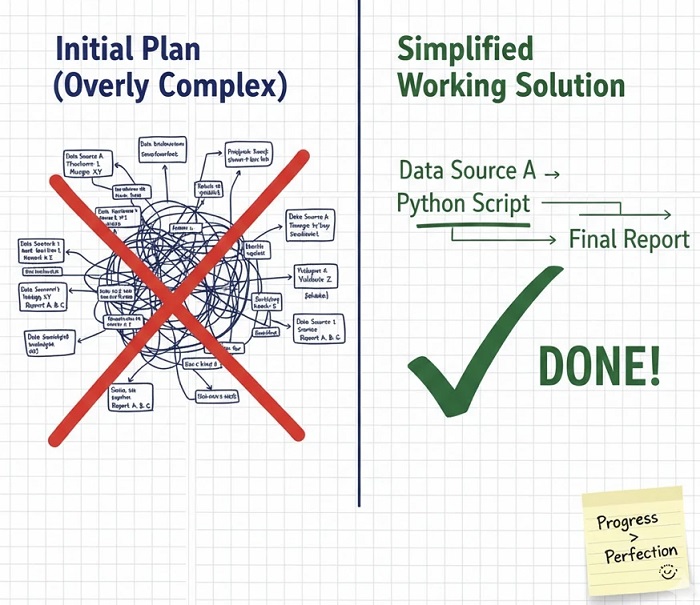
What happens: You try to write clean, efficient, well-organized code from the first line. You refactor before the code runs. You research best practices before having basic functionality. Progress stalls because nothing is ever “good enough” to finish.
Why it’s a mistake: Perfection is the enemy of done. Working ugly code teaches more than perfect code that doesn’t exist. You can’t improve what doesn’t work yet.
The fix: Make it work first. Make it right second. Make it fast third (if needed). Write code that produces correct output, no matter how ugly. Then clean it up. Then optimize if performance matters.
Permission granted: Your first version of any automation can be embarrassing. That’s fine. It works. Polish comes later.
Mistake 4: Not Using Real Data Early Enough
What happens: You practice with tutorial datasets — clean, small, well-formatted sample data. Skills seem solid. Then you try your actual work data: weird formats, missing values, inconsistent entries, unexpected characters. Everything breaks.
Why it’s a mistake: Real data is messy. Tutorial data hides this. The skills that work on clean samples fail on real datasets without additional techniques you never learned.
The fix: Use your actual work data as soon as possible — even in early exercises. Loading your real messy Excel file into pandas teaches more than loading sample_data.csv. You’ll encounter real problems that demand real solutions.
Bonus benefit: Automating actual work data creates immediately useful results, not just learning exercises.
Mistake 5: Avoiding Errors Instead of Learning From Them
What happens: You hit an error. Frustration spikes. You copy-paste code that works without understanding why yours didn’t. Or you abandon that approach entirely for something that doesn’t trigger errors. The same errors keep recurring because you never understood them.
Why it’s a mistake: Errors are information. Understanding why code fails teaches as much as understanding why code works. Avoiding errors means avoiding learning.
The fix: When you hit an error, stop and understand it:
- Read the entire error message — it often says exactly what’s wrong
- Identify which line caused the problem
- Understand what you expected versus what happened
- Search the specific error if needed
- Fix it yourself before copy-pasting solutions
Mindset shift: Errors aren’t failures. They’re feedback. Every error understood is one you’ll never make again.
Mistake 6: Hardcoding Everything
What happens: Your script works perfectly for today’s file: “C:/Users/YourName/Documents/Report_January.xlsx”. Next month, different filename. Script breaks. You edit the code, change the path, run again. Every use requires code changes.
Why it’s a mistake: Hardcoded values create fragile automations. The script only works for the exact conditions when you wrote it. Real automation should handle varying inputs without modification.
The fix: From the start, practice parameterizing your scripts:
- Use variables for file paths, not literal strings in code
- Put configuration at the top of scripts, separate from logic
- Design scripts to process “any file in this folder” not “this specific file”
- Learn to use relative paths instead of absolute paths
Test: Could someone else run your script without editing the code? If not, it’s too hardcoded.
Mistake 7: Learning in Isolation
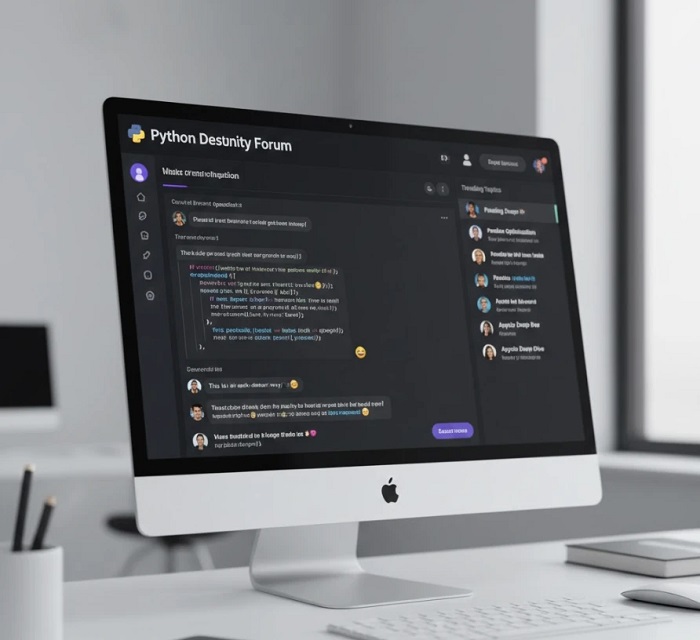
What happens: You learn alone. When stuck, you struggle for hours. You have no one to check if your approach makes sense. You miss obvious solutions others would spot instantly. Progress is slower than it should be.
Why it’s a mistake: Programming has a community for a reason. Problems you fight for hours often have known solutions. Approaches that seem reasonable to you might have obvious flaws visible to others.
The fix:
- Join communities: Reddit’s r/learnpython, Python Discord, Stack Overflow
- Ask questions when stuck longer than 30 minutes
- Share your code for feedback even when it works
- Learn from others’ questions and solutions
Reality: Professional programmers constantly ask colleagues for help. Learning alone is harder mode without benefit.
The Meta-Mistake: Expecting Linear Progress
Beyond these seven, the biggest mistake is expecting learning to feel like steady progress. It doesn’t. Real learning looks like:
Week 1: “This makes sense!”
Week 2: “Wait, I’m confused again.”
Week 3: “Maybe I’m not smart enough for this.”
Week 4: “Oh! Now the earlier stuff clicks!”
Week 5: “New topic, back to confusion.”
This oscillation is normal. Confusion precedes understanding. Struggle precedes capability. If you’re never confused, you’re not learning — you’re reviewing what you already know.
Checklist: Are You Making These Mistakes?
Quick self-assessment:
- □ Are you learning general Python or automation-specific Python?
- □ Do you code independently after tutorials, or just watch?
- □ Do you get code working before perfecting it?
- □ Have you used your actual work data yet?
- □ Do you understand your errors or just avoid them?
- □ Could someone else run your scripts without editing code?
- □ Do you have community support when stuck?
Each “no” identifies an area to improve. Each “yes” confirms you’re on track.
Learning Done Right
Avoiding these mistakes accelerates learning dramatically. Instead of months of scattered progress, you build focused skills that compound. Instead of frustration from preventable problems, you experience the satisfaction of steady capability growth.
The difference between struggling for a year and becoming productive in months often comes down to avoiding these exact mistakes. Now you know them. The choice is yours.
For structured training designed to avoid these pitfalls — with practical projects, real-world data focus, and clear progression — the LearnForge Python Automation Course teaches data automation the right way from the start.
No Comments